
How To
Step-by-step guides for using JukeBox One.
Create Room — Just 3 Steps

Create a Room
-
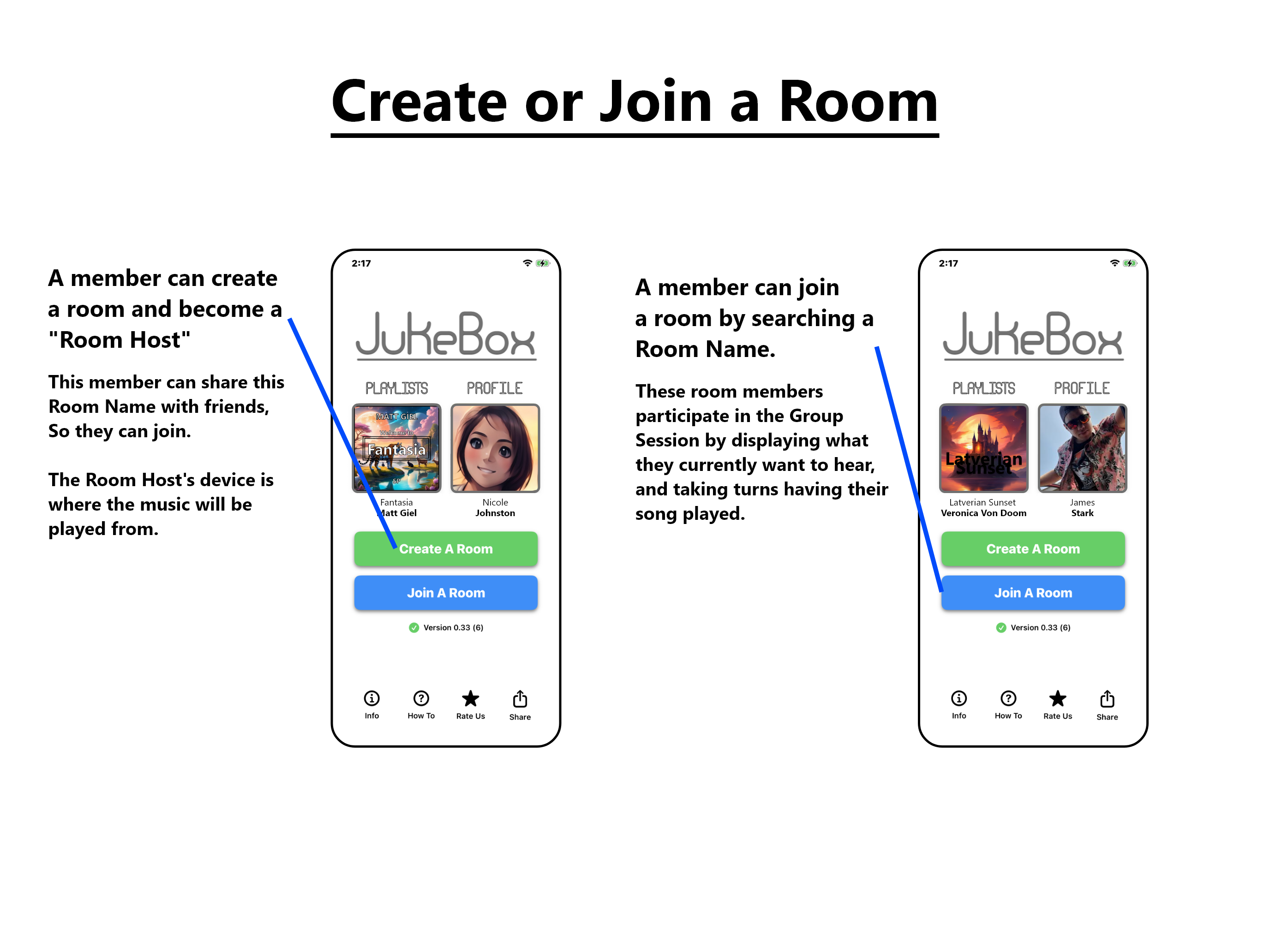
Open JukeBox One and tap Create Room.
-
Enter a Room Name, such as Matt’s Room, then confirm.
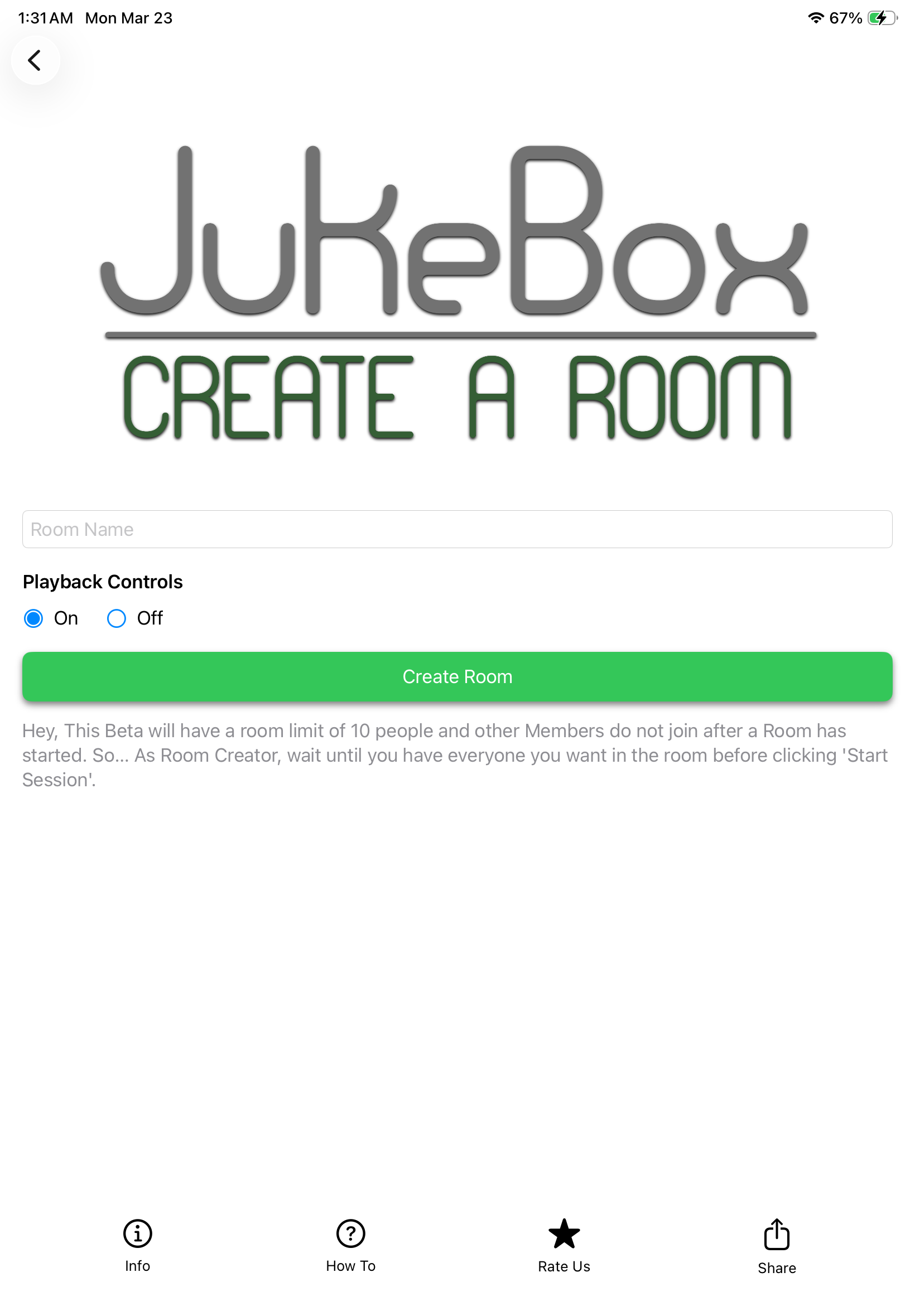
- The device that creates the room controls playback and manages the session.
Share the Room Name
No invite link is required. Tell your friends the exact Room Name so they can search for it and join.
- Make sure they have JukeBox One installed and open.
- Share the spelling, spacing, and punctuation exactly as you created it.
Join Room — Just 3 Steps

Join a Room by Name
-
Open JukeBox One and tap Join Room.
-
Search for the Room Name you were given.
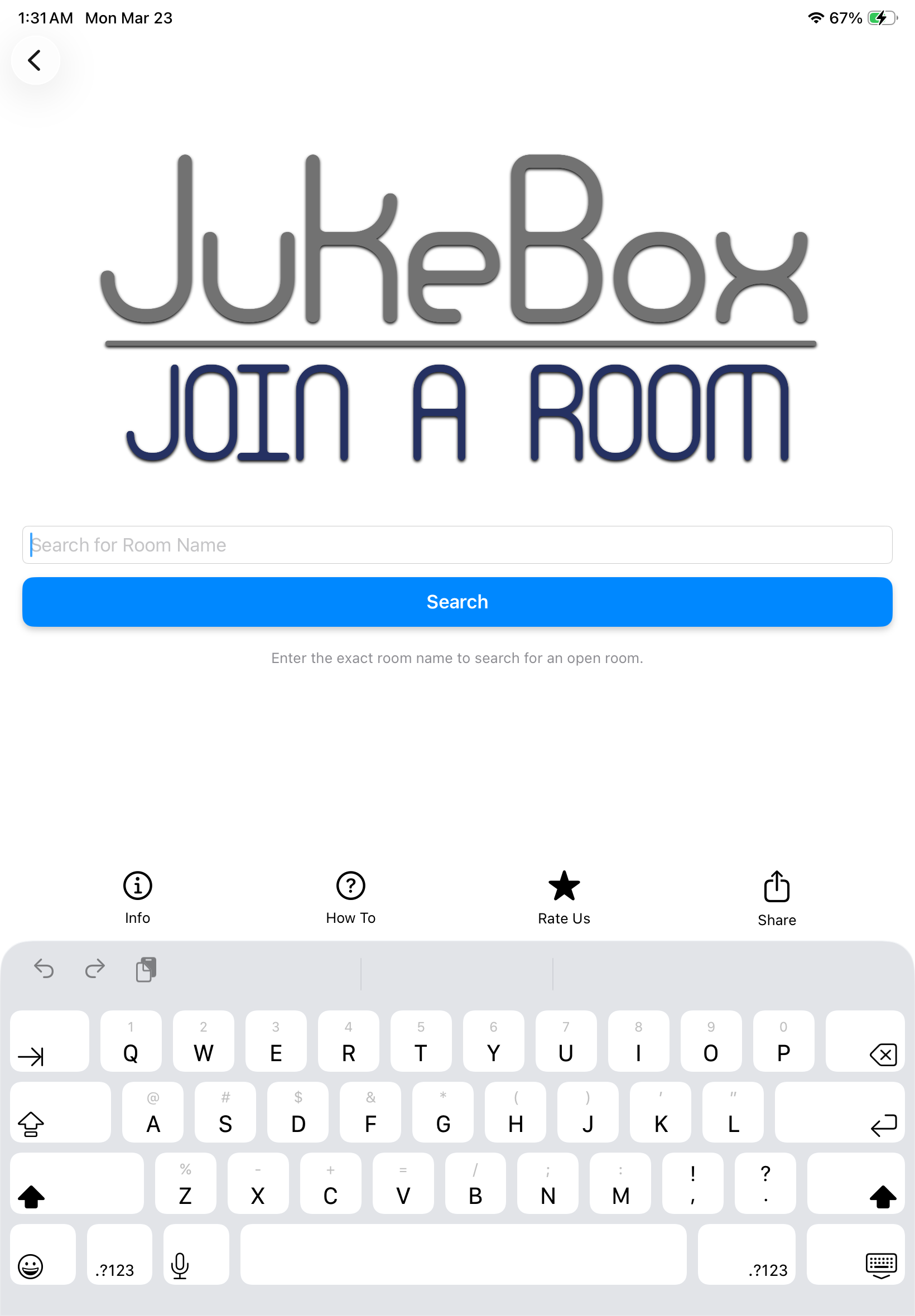
- Select the room and confirm to join.
Taking Turns with Song Host
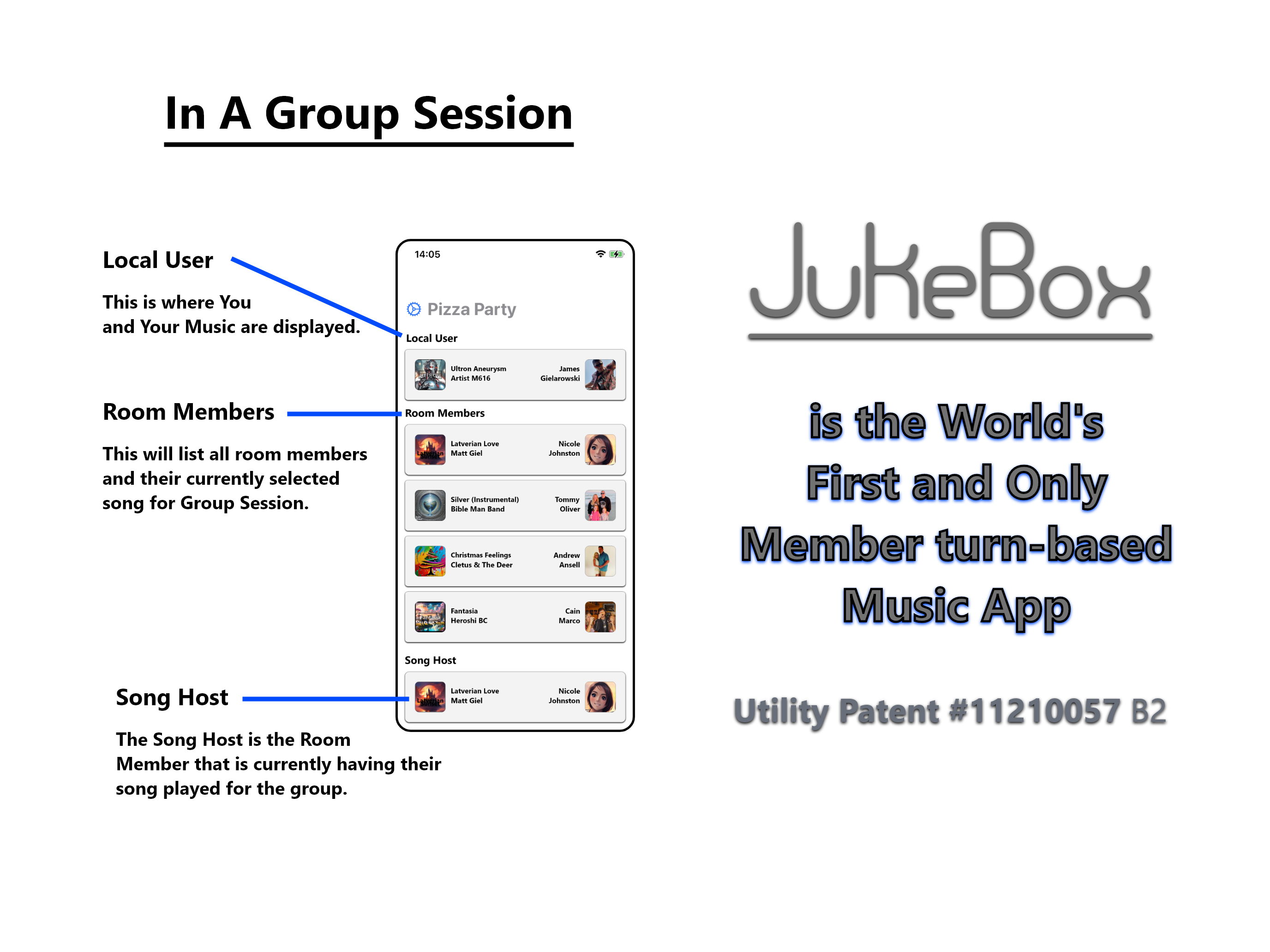
The Song Host is the member whose selected music plays for the group. In a normal session, members take turns. JukeBox One uses your next available track from your designated playlist when it is your turn.
Mini-Games Between Songs
In a mini-game session, participating room members compete in a short game after a song ends. Results are sent to JukeBox One’s server, and the winner becomes the next Song Host.
The group returns to the session, and the next song plays from the winner’s designated playlist.
Need Help?
Email us at James@JukeBoxSongSync.com.